
Since its launch in 2022, Poppo Live has emerged as a top livestreaming platform in various Asian countries. With users spanning across more than 150 nations, many have signed up as Poppo live host to interact with viewers, showcase their skills, and expand their reach. Whether your interest lies in singing, broadcasting your daily routines, or conversing with others, this app is designed to help you reach the perfect audience. Begin your broadcasting journey today by following this comprehensive walkthrough, which covers everything from initial account creation to partnering with an agency.
Where Do You Begin?
- Download Poppo Live
Search for the Poppo Live application on either the App Store or Google Play. Once found, download the app and open it to begin the registration or login process.
- Account Registration
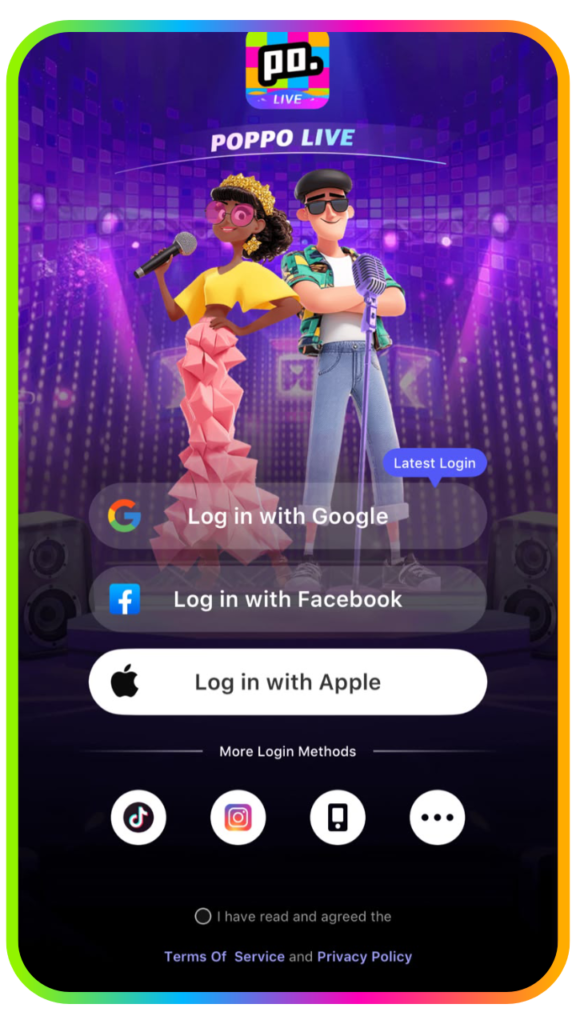
Register a new account using your phone number, Facebook, or an active Google account, or manually input your personal details. Please note that existing accounts cannot be re-registered.
- Input Referral Code
To successfully join, type ‘4345306’ into the designated field and press enter.
You have successfully registered your account! Before initiating your first livestream, it is highly recommended to complete your profile by adding tags and a self-introduction to attract your initial audience. From here, you can choose to broadcast independently or affiliate with an agency.
How To Do a Face Verification as Poppo Live Host?
Having a profile is just the beginning. Verifying your identity can help build trust with your audience and attract more followers. Complete your profile by going through face authentication, then start livestreaming once the process is complete. Follow these simple steps to verify your identity and upgrade your account status.
Step 1: Go to profile
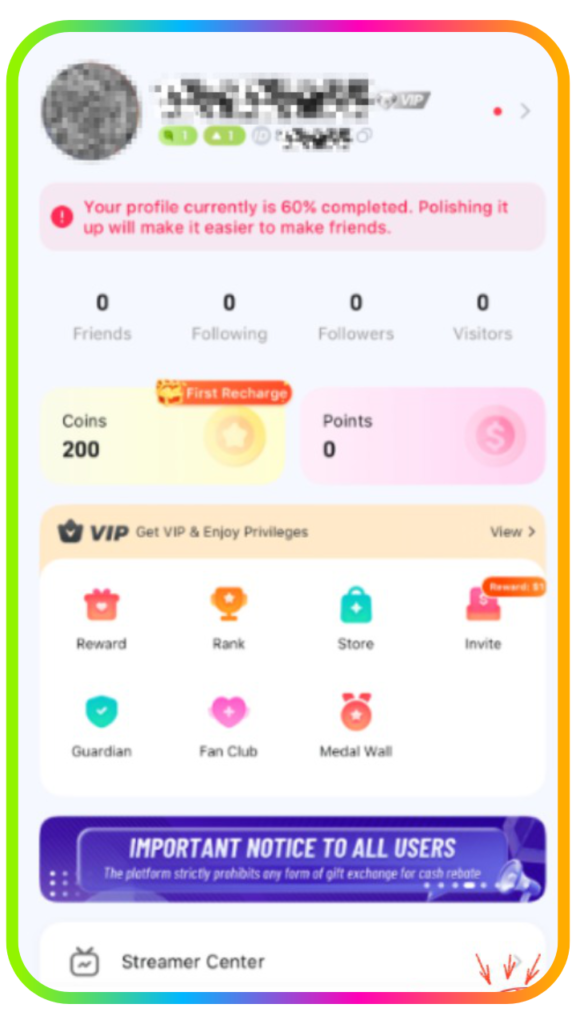
Step 2: Scroll down until you find ‘Authentication.’
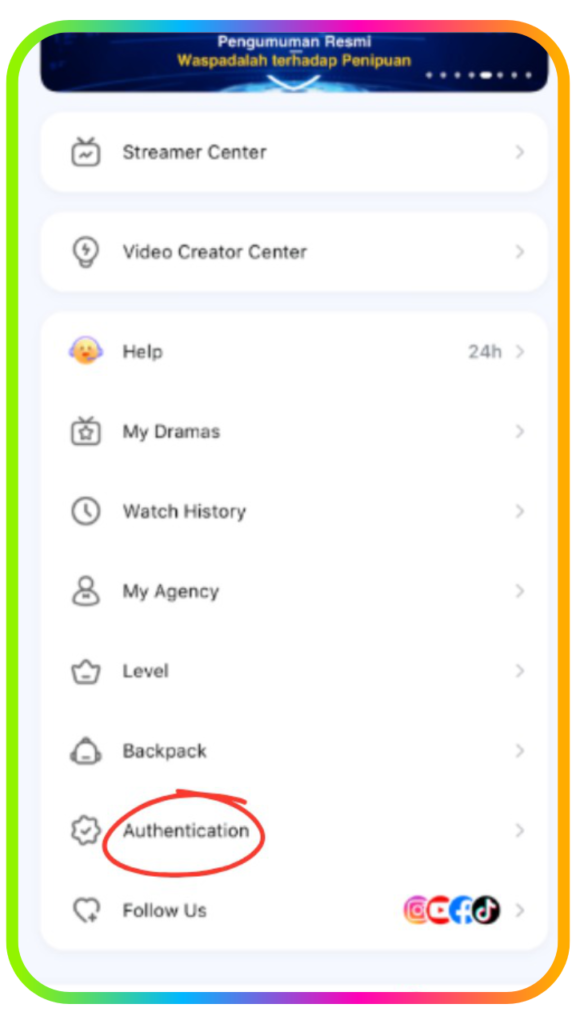
Step 3: Click on Face Authentication
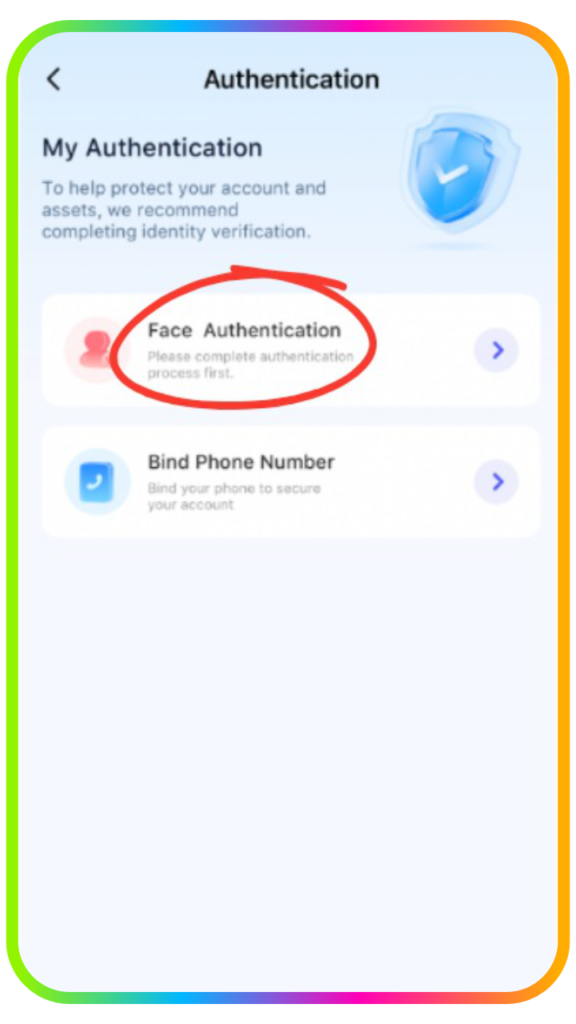
Step 4: Position your face in front of the camera and click on ‘start to certificate.’
This will begin the face verification process, and all of you have to do is follow the instructions on the screen.
Things You Need to Notice During Face Verification
- Choose the Right Background
Take a picture where there is enough light while considering your background color. Make sure your picture is not too bright or too dark. It’s important for you to watch for backlight so your result will be accurate.
- Correct your position
Face ahead and take position in the center of the camera and wait for instruction. Move your head and do as it says when the instruction tells you to blink, turn your head, or smile.
Finding an Agency to Join as Poppo Live Host
Joining an agency can give you additional support and opportunities compared to managing your livestreaming journey on your own. Follow these steps to join an agency:
Step 1: Go to your Profile
Open your profile and access your account settings.
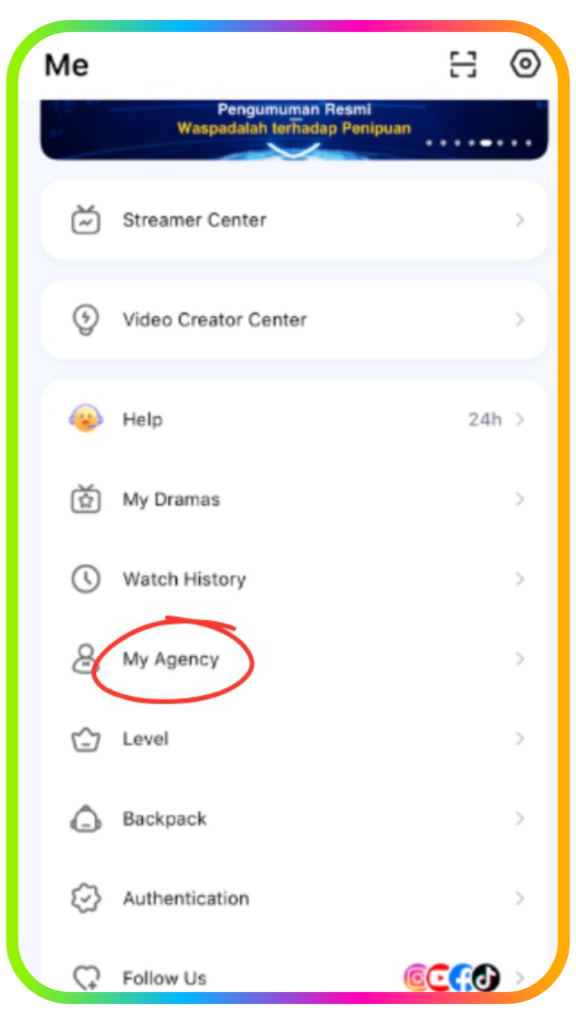
Step 2: Select “My Agency”
Scroll down until you find “My Agency”, then tap on it.
Step 3: Choose a Joining Method
Select your preferred method for joining an agency.
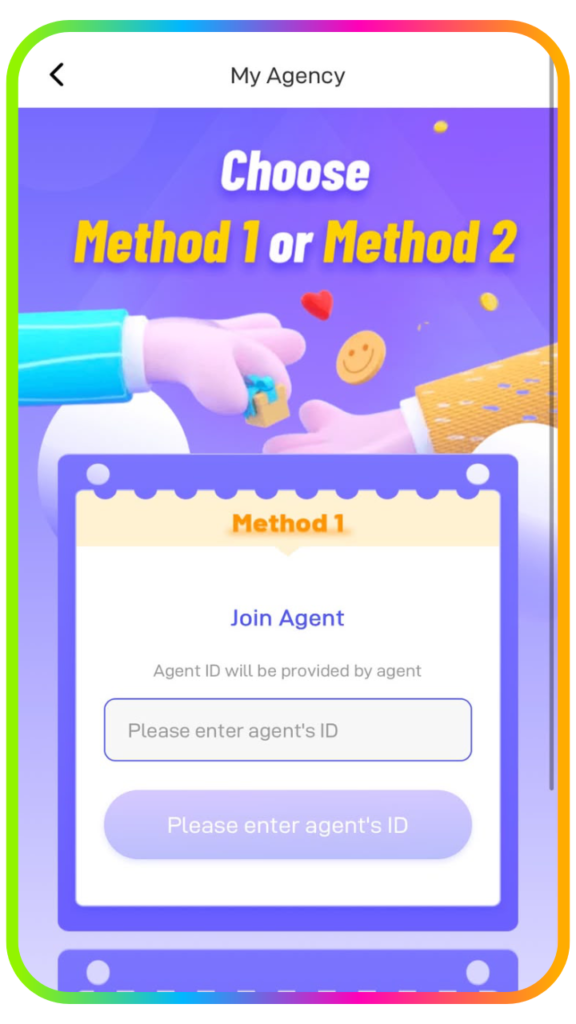
Step 4: Enter the Agent ID or Share Your Host ID
Enter the Agent ID ‘4345306’ inside the box and join the agency instantly and start your livestream. You can also share your Host ID with the agencies on Poppo Live and wait for the invitation on your account.
Frequently Asked Questions
- Why does my face authentication keep failing?
Make sure your photo is clear and well-lit. Avoid lighting that is too bright or too dark. Position your face in the center of the camera and follow the on-screen instructions, such as blinking, turning your head, or smiling.
- How long does account verification take?
Account verification can take 1–3 business days. You can check your verification status after 3 days. If your verification is successful, your account will be switched to a verified host. If it fails, you can repeat the verification process.
- Can I join more than one agency?
No. Each account can only be linked to one agency at a time.
- How can I start my livestream?
Go to your “Profile” and select “Streamer Center”. From there, you can add information such as your livestream title and tags to help your stream reach the right audience.
- Can I change my username more than once?
You can change your username up to two times within the first 7 days after registration. After that, you can change your nickname once per month.
Create and Grow Your Own Audience
You’re all set to begin your journey as a Poppo Live Host. With your account verified and ready to go, it’s time to start livestreaming, engaging with your audience, and building your community. Stay consistent, explore the platform’s features, and stream with confidence.
Want to learn more? Explore our other articles on this link for helpful tips and guides to make the most of your Poppo Live experience. Join us now by sending us a message on this link or join as a host or agency here.